Menu
HealthShelf
Year
2026
Timeframe
1 Week
Project Type
Client
Tools Used
Figma
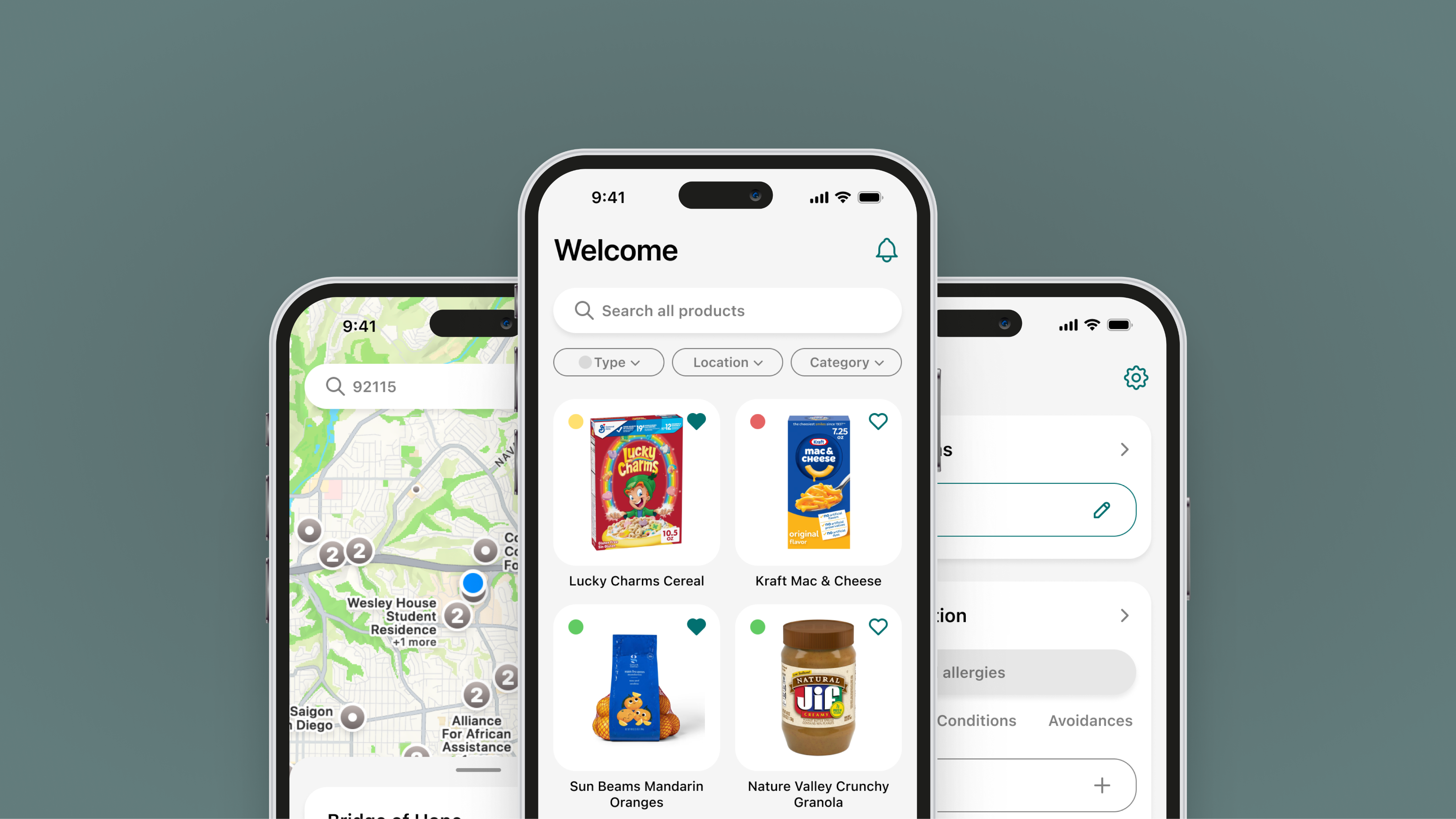
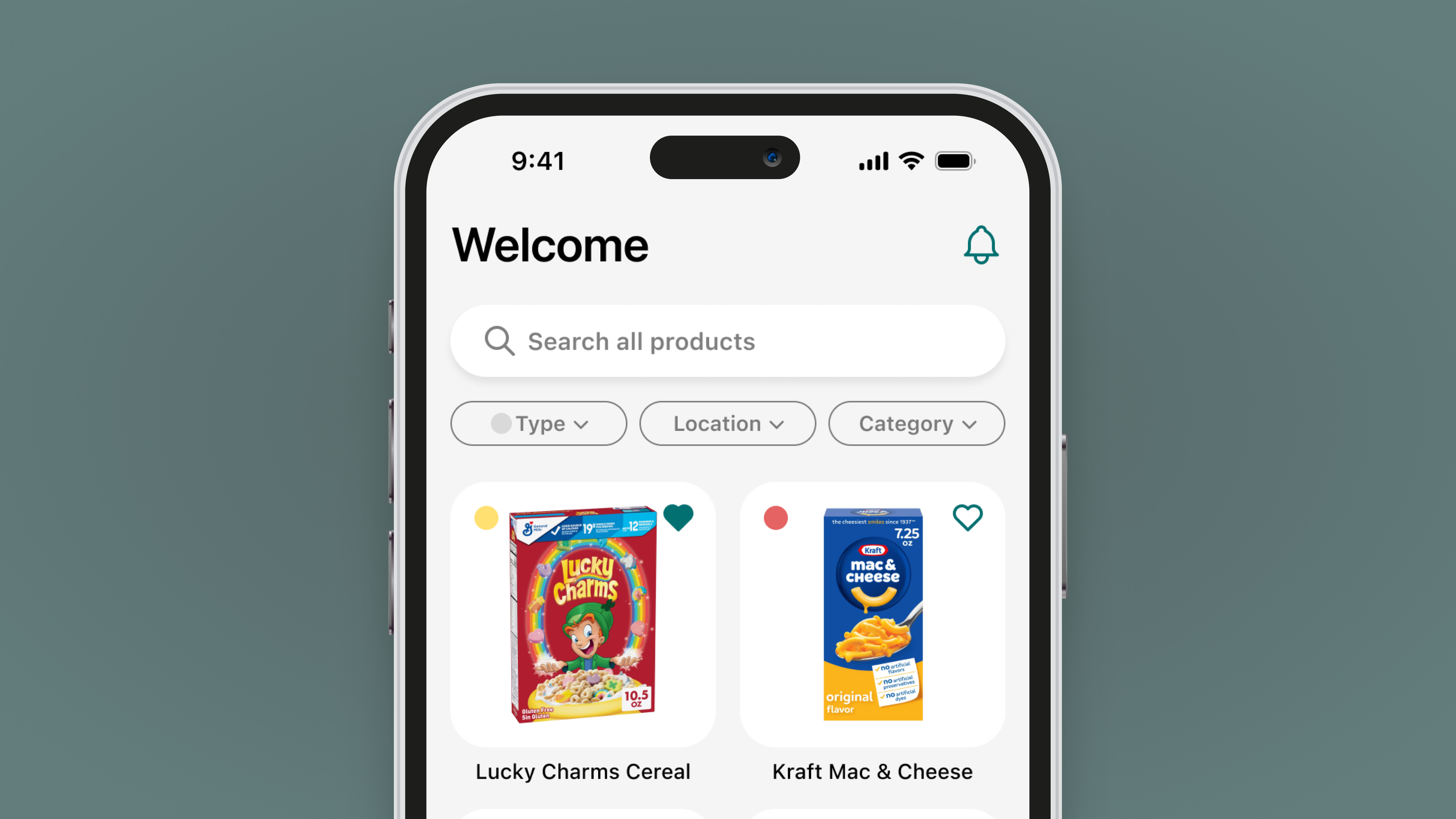
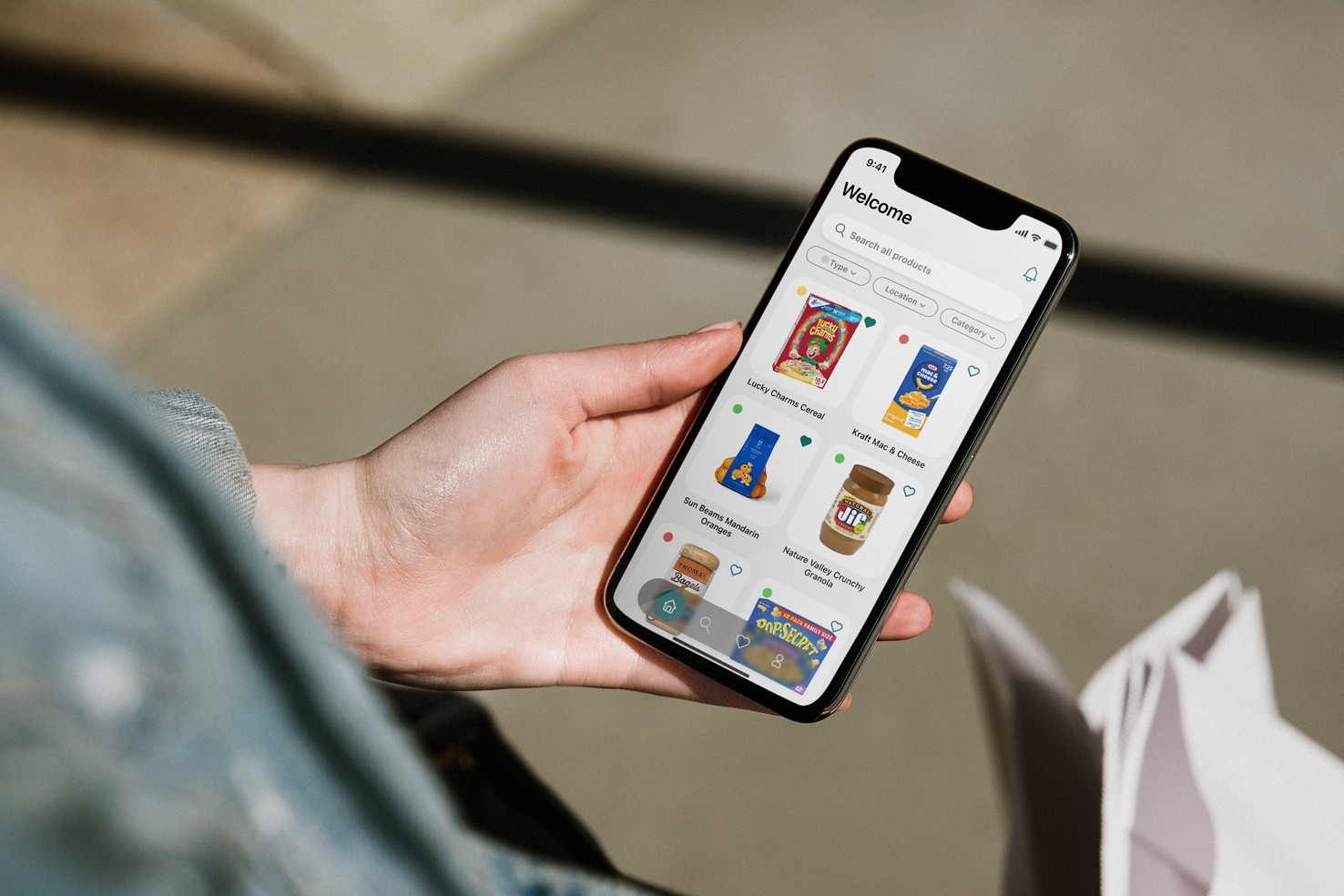
HealthShelf connects those experiencing food insecurity to food banks while taking user’s dietary restrictions into account.
Challenge
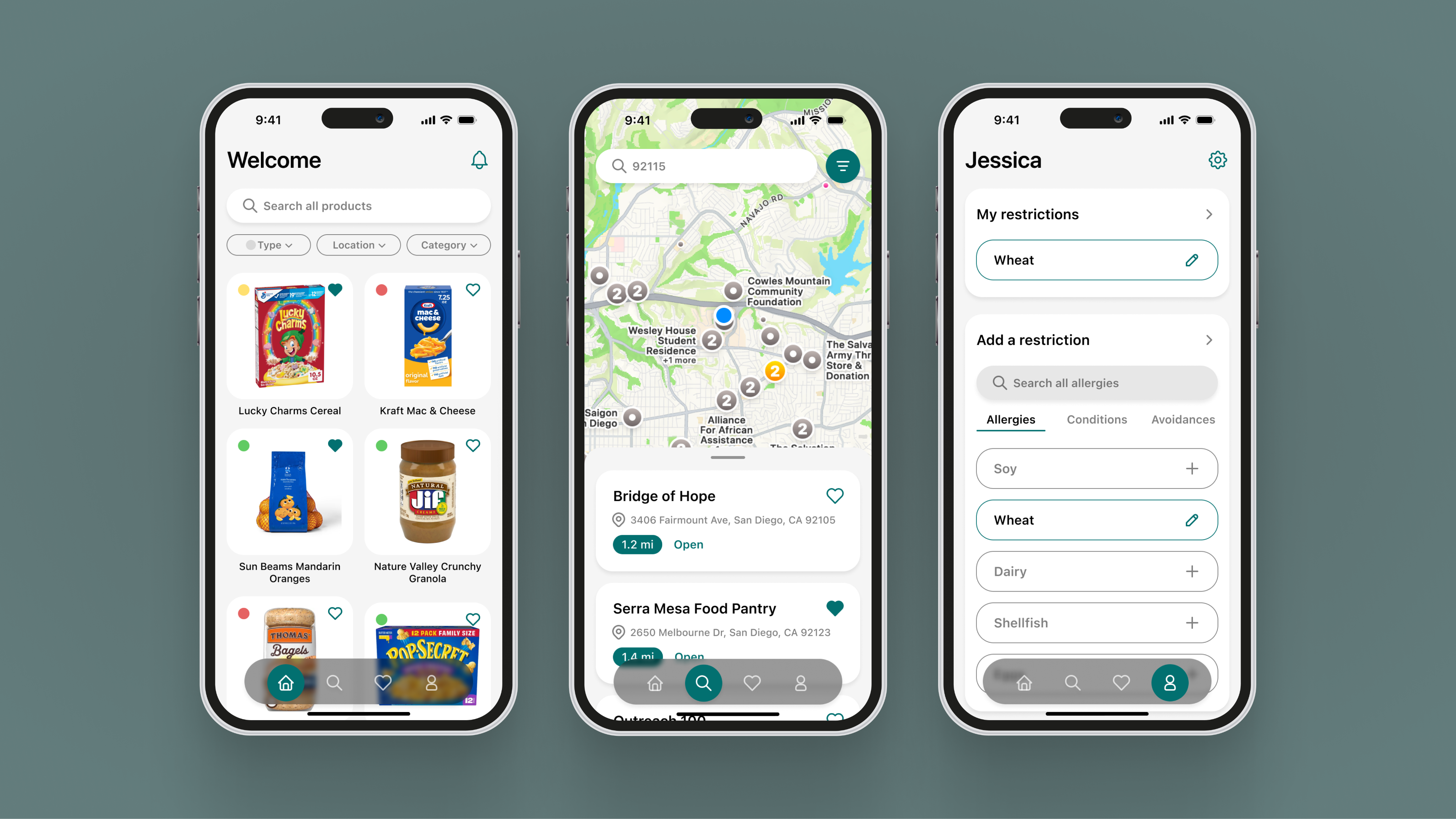
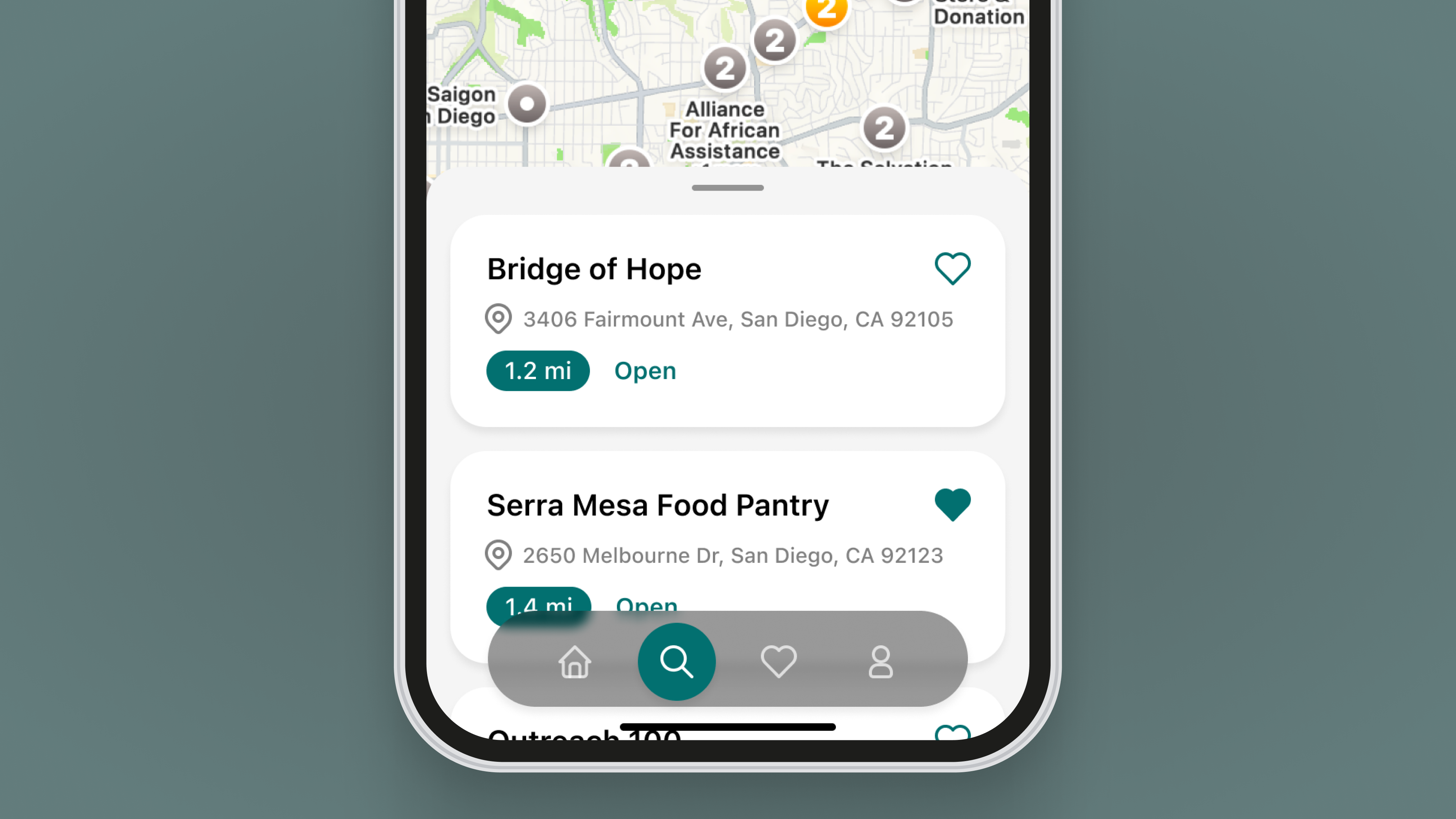
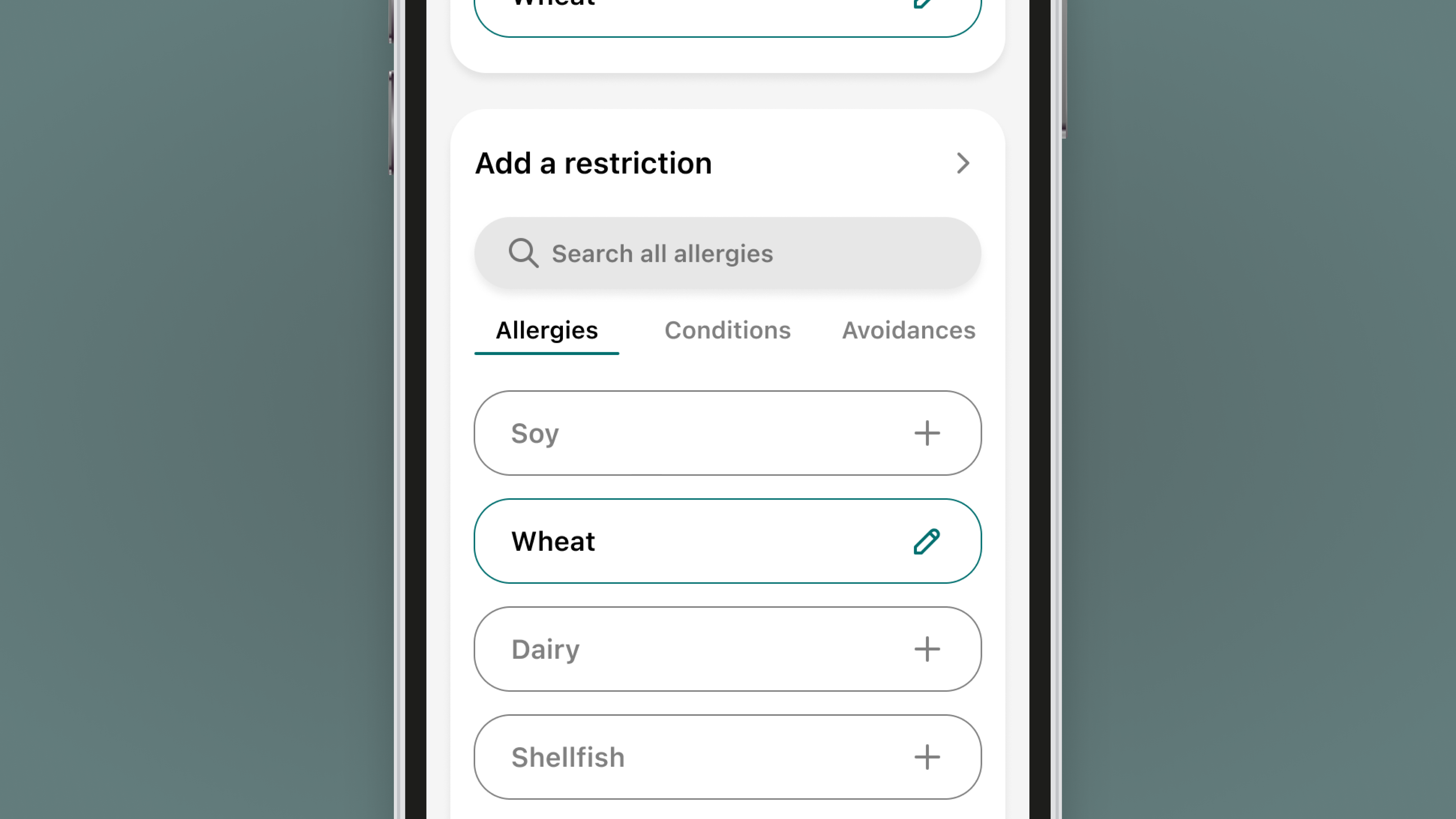
HealthShelf wants three static screens that demonstrate the design and function of their app so they can pitch their idea to investors at their upcoming presentation.
Approach
The screens HealthShelf wanted were static and for demonstration purposes, however, I still needed to think of the app’s functionality to ensure that the screens made sense and were not redundant. I used HealthShelf’s list of needs to develop a mini user map to get a better understanding of which elements need to go where.
The design’s UI was important to HealthShelf. They wanted the app to match their current branding and have a modern, friendly look.
Results
Designing these app screens for HealthShelf has provided me with an opportunity to further improve my interface design skills. Working on this smaller project has also helped me better toggle between focusing on little details and the bigger picture, both of which are critical aspects of UX/UI design.
HealthShelf
Year
2026
Timeframe
1 Week
Project Type
Client
Tools Used
Figma
HealthShelf connects those experiencing food insecurity to food banks while taking user’s dietary restrictions into account.
Challenge
HealthShelf wants three static screens that demonstrate the design and function of their app so they can pitch their idea to investors at their upcoming presentation.
Approach
The screens HealthShelf wanted were static and for demonstration purposes, however, I still needed to think of the app’s functionality to ensure that the screens made sense and were not redundant. I used HealthShelf’s list of needs to develop a mini user map to get a better understanding of which elements need to go where.
The design’s UI was important to HealthShelf. They wanted the app to match their current branding and have a modern, friendly look.
Results
Designing these app screens for HealthShelf has provided me with an opportunity to further improve my interface design skills. Working on this smaller project has also helped me better toggle between focusing on little details and the bigger picture, both of which are critical aspects of UX/UI design.
HealthShelf
Year
2026
Timeframe
1 Week
Project Type
Client
Tools Used
Figma
HealthShelf connects those experiencing food insecurity to food banks while taking user’s dietary restrictions into account.
Challenge
HealthShelf wants three static screens that demonstrate the design and function of their app so they can pitch their idea to investors at their upcoming presentation.
Approach
The screens HealthShelf wanted were static and for demonstration purposes, however, I still needed to think of the app’s functionality to ensure that the screens made sense and were not redundant. I used HealthShelf’s list of needs to develop a mini user map to get a better understanding of which elements need to go where.
The design’s UI was important to HealthShelf. They wanted the app to match their current branding and have a modern, friendly look.
Results
Designing these app screens for HealthShelf has provided me with an opportunity to further improve my interface design skills. Working on this smaller project has also helped me better toggle between focusing on little details and the bigger picture, both of which are critical aspects of UX/UI design.