Menu
Rebound
03.2026
Duration
3 Months
Role
UX Designer
Project Type
School
Tools Used
Figma, Miro
About
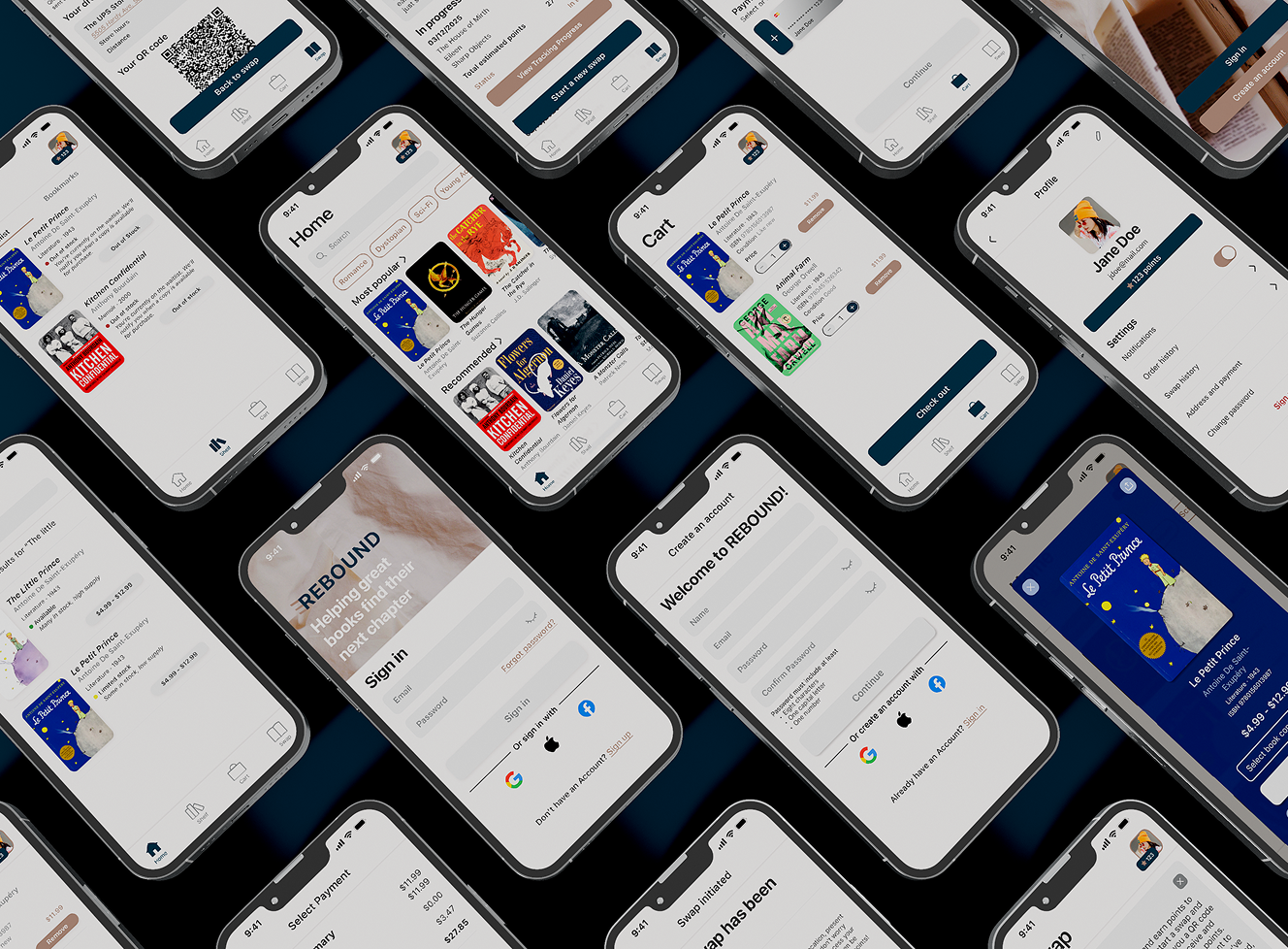
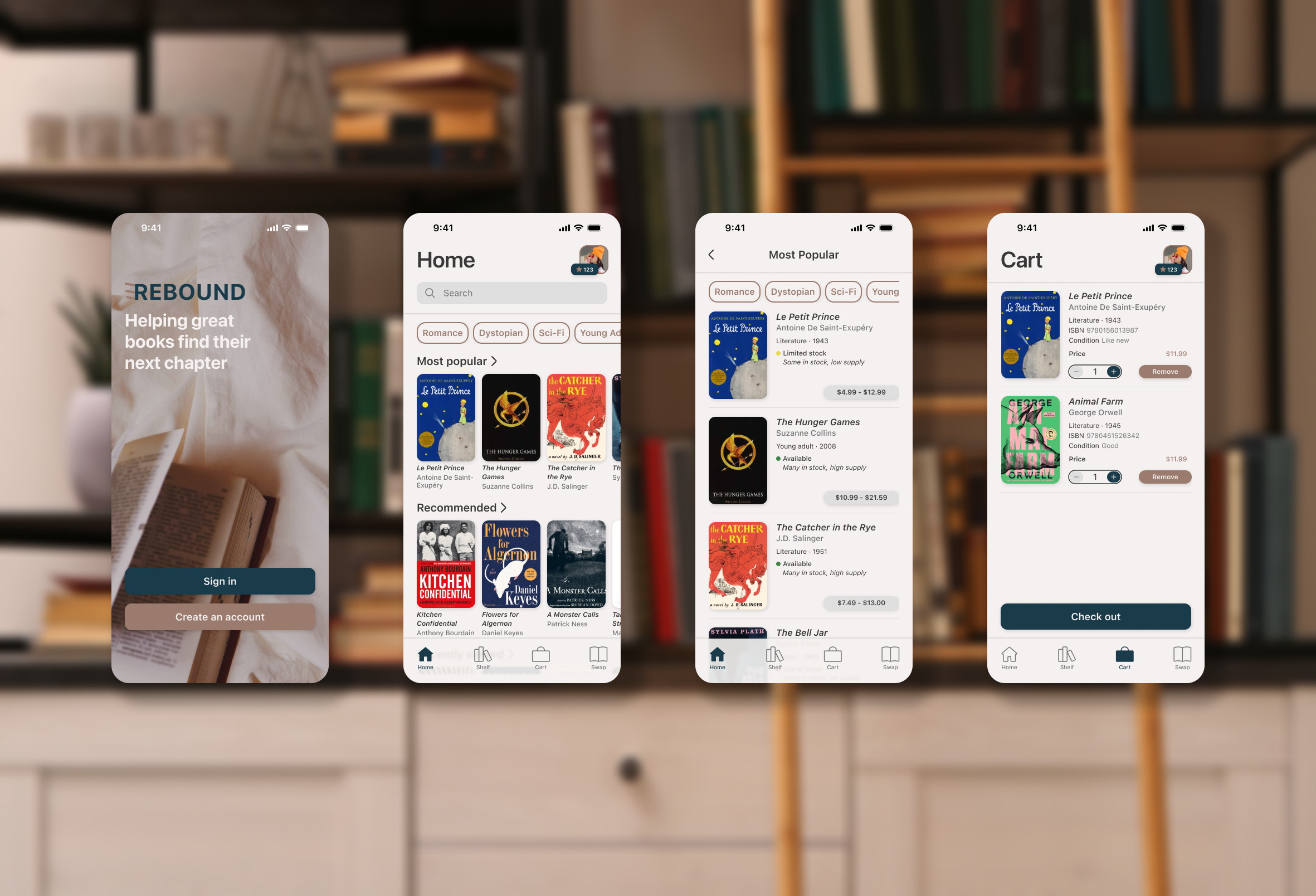
Rebound is an eCommerce app where readers can buy and sell used books.
The Problem
The cost of books adds up when you’re an avid reader and options like libraries and used book stores are not guaranteed to have what someone is looking for. Everyone should have access to a wide variety of low cost reading materials.
Research
Through user interviews and surveys, I aim to:
- Learn the ways in which avid readers acquire their books
- Discover what formats readers prefer
- Understand readers shopping habits with regard to book purchases
Unavailablilty
Most readers acquire books amazon at a bookstore. Some prefer used bookstores but can’t always find a specific item.
Limited Space
Readers prefer physical copies of books. Many expressed that they dislike when they take up space, but are unsure of where to donate or sell them.
Increasing Costs
Readers survyed expressed their frustration with the increasing cost of books
Ideation
- Where will the app’s book inventory come from?
- What happens if a book is unavailable?
- How will users exchange books for credit?
- How will a credit balance be applied to an order?
- What options should users have when selecting a used book?
Wireframes
Initial sketches that focus on laying out the functionality for the following key features:
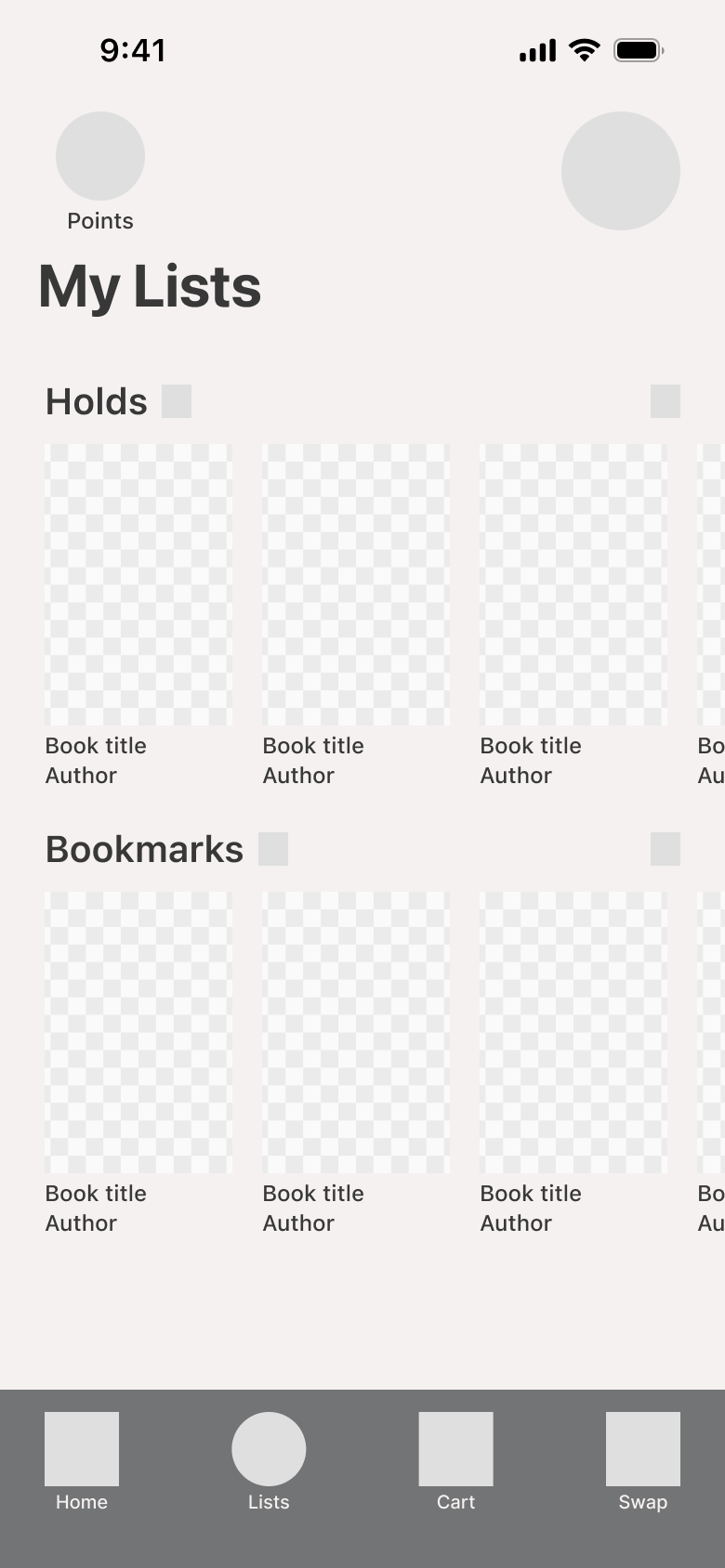
Waitlists
Lists allows users to place a hold when a book is unavailable. When a book is back in stock, users who have placed a hold will have priority.
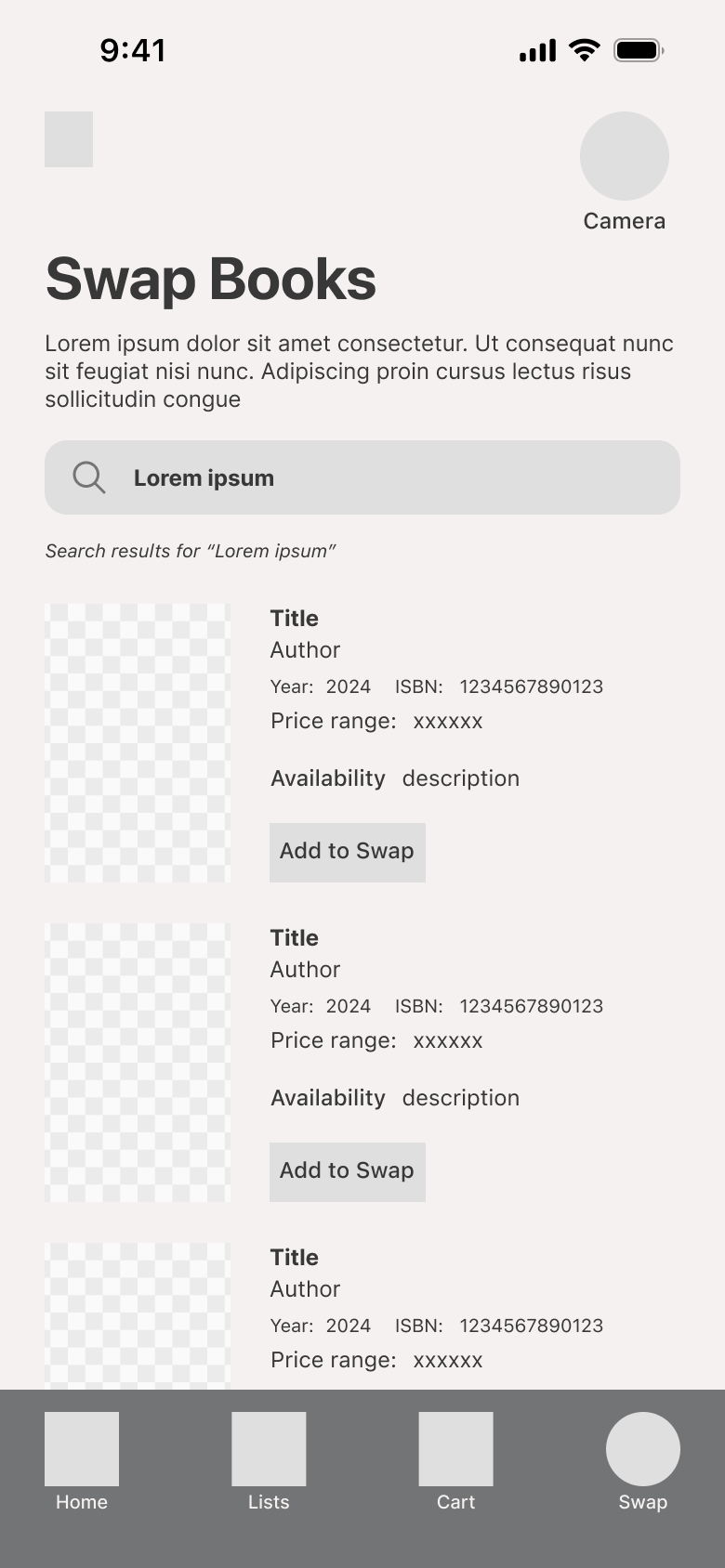
Trading for Credits
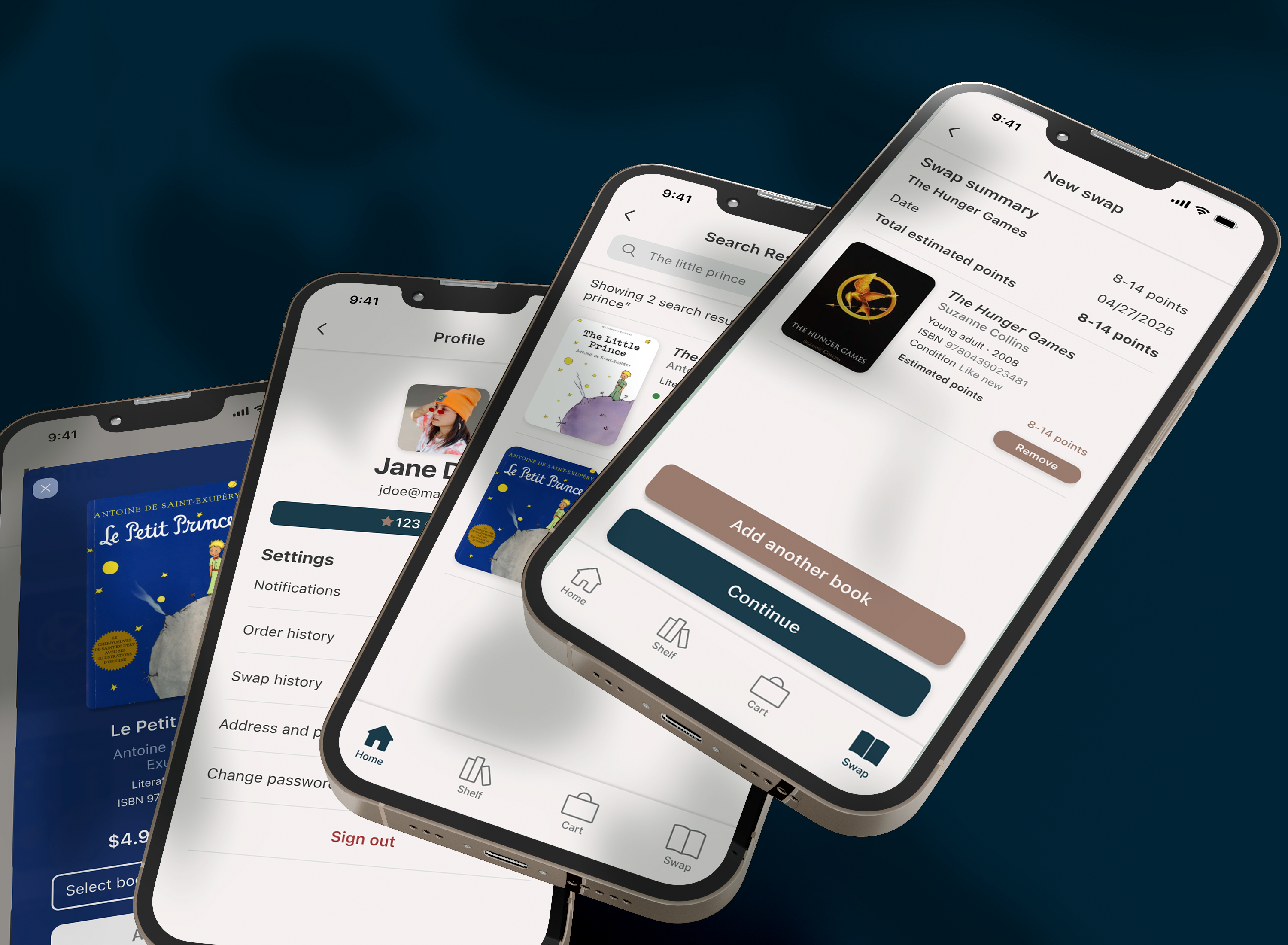
The Swap feature lets users trade in their old books for points. Points can be used to purchase more books, helping to lower costs.
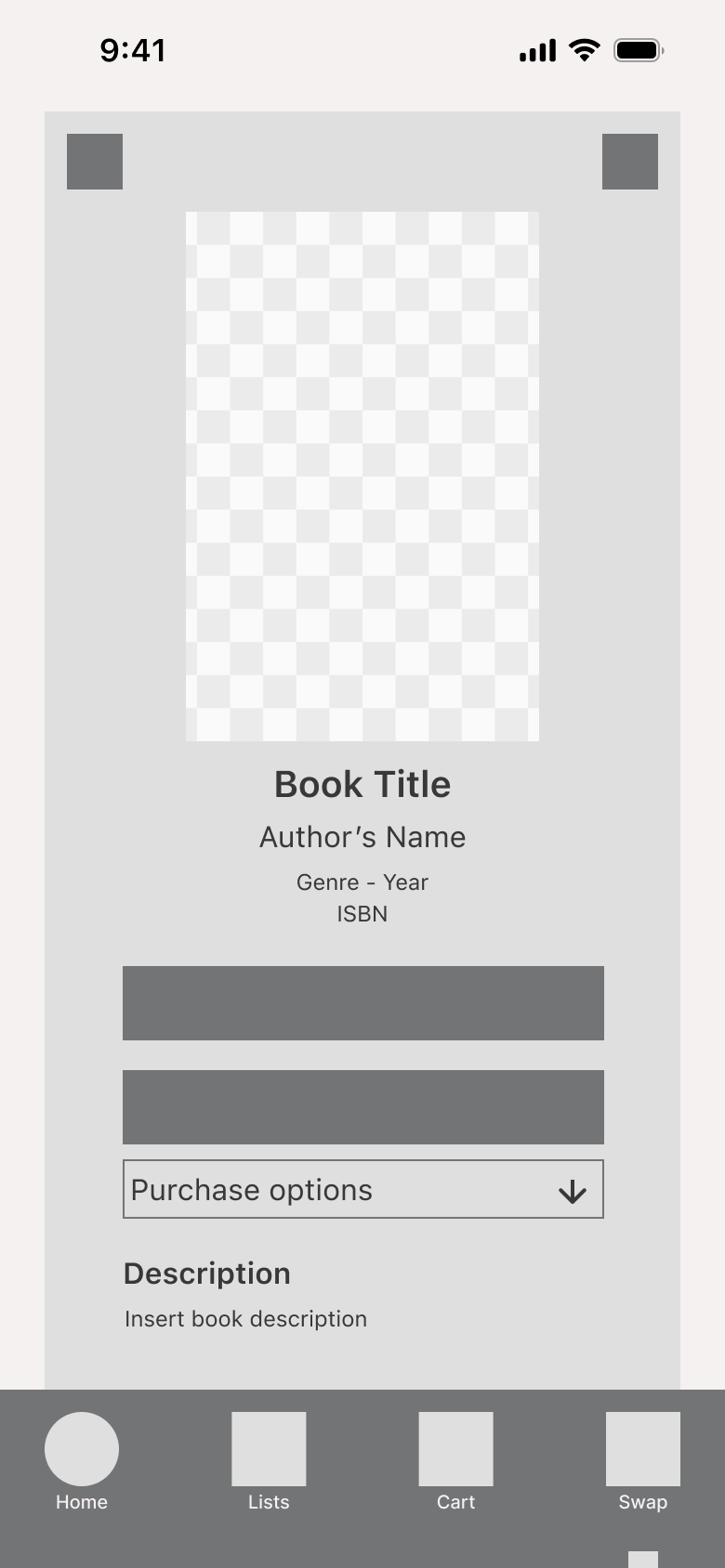
Selecting Quality
When adding a book to their cart, users can select a higher or lower quality which lets them decide how much they want to spend.
Key Functions
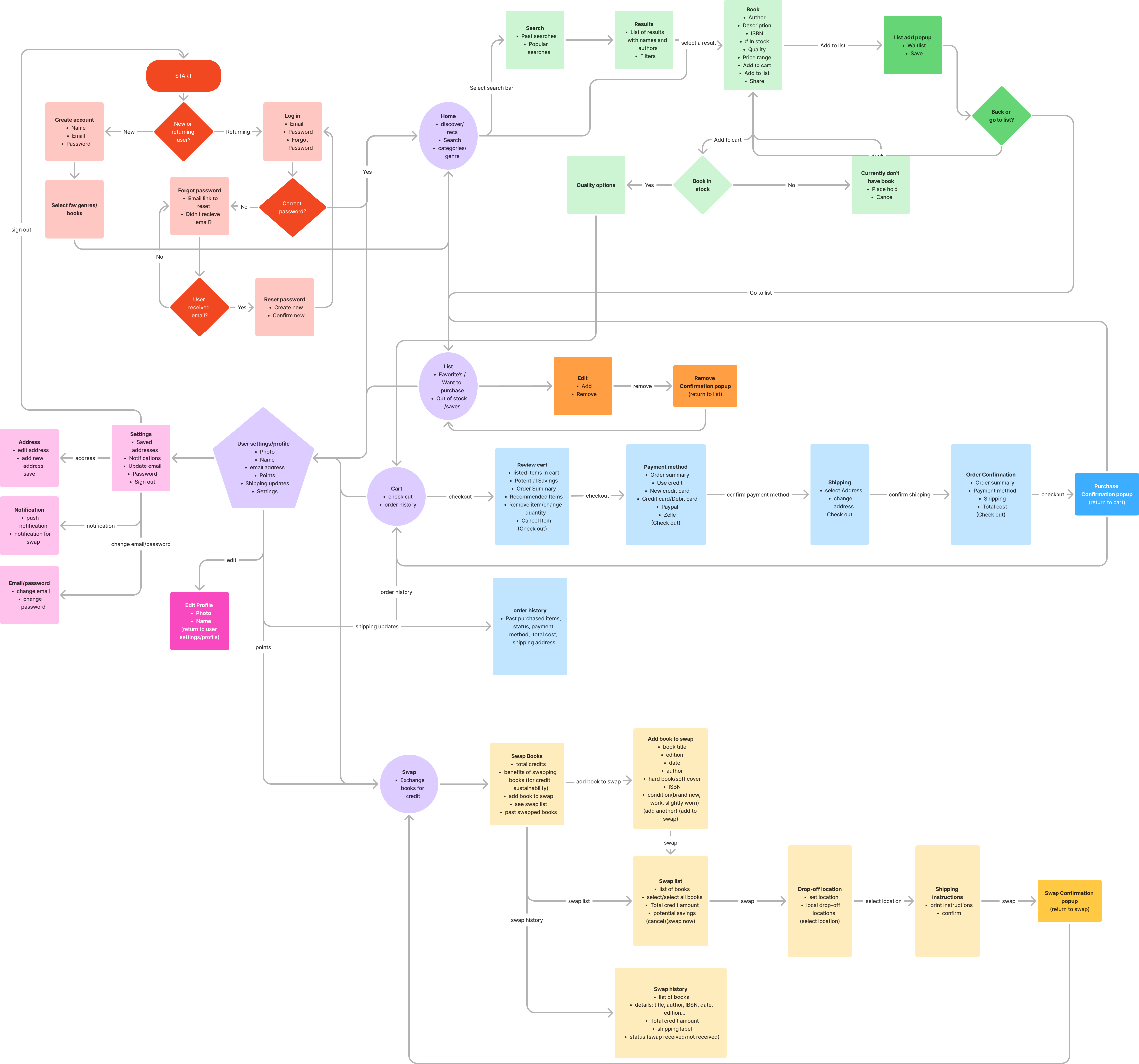
Flows that show the functionality for the following key features:
Priority Holds
Users were frustrated with not finding a specific book at a used book store and not having the ability to place a hold.
Swap and Save
Users wanted lower book costs and a place where they could get rid of their old books.
Pay with Points
Avid readers wanted the cost of their hobby to be lower so they could read as much as they want.
Takeaways
When I first came across this problem, I was unsure of the responses I was going to get. Do people even read anymore? And if they do, do they read enough to where a cheaper option would be significantly beneficial? The research showed a strong desire for not only a cheaper option, but also a way of getting rid of old books that are taking up shelf space.
Throughout this process, the user’s desires for cheap books and a quick and easy way to make room for more was at the top of my mind. Rebound addresses user’s primary pain points and has upheld my views on the importance of user research, testing, refining, iterating, and of course more research and testing.
Rebound
03.2026
Duration
3 Months
Role
UX Designer
Project Type
School
Tools Used
Figma, Miro
About
Rebound is an eCommerce app where readers can buy and sell used books.
The Problem
The cost of books adds up when you’re an avid reader and options like libraries and used book stores are not guaranteed to have what someone is looking for. Everyone should have access to a wide variety of low cost reading materials.
Research
Through user interviews and surveys, I aim to:
- Learn the ways in which avid readers acquire their books
- Discover what formats readers prefer
- Understand readers shopping habits with regard to book purchases
Unavailability
Most readers acquire books amazon at a bookstore. Some prefer used bookstores but can’t always find a specific item.
Limited Space
Readers prefer physical copies of books. Many expressed that they dislike when they take up space, but are unsure of where to donate or sell them.
Increasing Costs
Among those surveyed, most were frustrated with the increasing cost of books. Many resort to libraries, but it’s not ideal when they want to keep a copy.
Ideation
- Where will the app’s book inventory come from?
- What happens if a book is unavailable?
- How will users exchange books for credit?
- How will a credit balance be applied to an order?
- What options should users have when selecting a used book?
Wireframes
Initial sketches that focus on laying out the functionality for the following key features:
Waitlists
Lists allows users to place a hold when a book is unavailable. When a book is back in stock, users who have placed a hold will have priority.
Trading for Credits
The Swap feature lets users trade in their old books for points. Points can be used to purchase more books, helping to lower costs.
Selecting Quality
When adding a book to their cart, users can select a higher or lower quality which lets them decide how much they want to spend.
Key Functions
Flows that show the functionality for the following key features:
Priority Holds
Users were frustrated with not finding a specific book at a used book store and not having the ability to place a hold.
Swap and Save
Users wanted lower book costs and a place where they could get rid of their old books.
Pay with Points
Avid readers wanted the cost of their hobby to be lower so they could read as much as they want.
Takeaways
When I first came across this problem, I was unsure of the responses I was going to get. Do people even read anymore? And if they do, do they read enough to where a cheaper option would be significantly beneficial? The research showed a strong desire for not only a cheaper option, but also a way of getting rid of old books that are taking up shelf space.
Throughout this process, the user’s desires for cheap books and a quick and easy way to make room for more was at the top of my mind. Rebound addresses user’s primary pain points and has upheld my views on the importance of user research, testing, refining, iterating, and of course more research and testing.
Rebound
03.2026
Duration
3 Months
Role
UX Designer
Project Type
School
Tools Used
Figma, Miro
About
Rebound is an eCommerce app where readers can buy and sell used books.
The Problem
The cost of books adds up when you’re an avid reader and options like libraries and used book stores are not guaranteed to have what someone is looking for. Everyone should have access to a wide variety of low cost reading materials.
Research
Through user interviews and surveys, I aim to:
- Learn the ways in which avid readers acquire their books
- Discover what formats readers prefer
- Understand readers shopping habits with regard to book purchases
Unavailability
Most readers acquire books amazon at a bookstore. Some prefer used bookstores but can’t always find a specific item.
Limited Space
Readers prefer physical copies of books. Many expressed that they dislike when they take up space, but are unsure of where to donate or sell them.
Increasing Costs
Among those surveyed, most were frustrated with the increasing cost of books. Many resort to libraries, but it’s not ideal when they want to keep a copy.
Ideation
- Where will the app’s book inventory come from?
- What happens if a book is unavailable?
- How will users exchange books for credit?
- How will a credit balance be applied to an order?
- What options should users have when selecting a used book?
Wireframes
Initial sketches that focus on laying out the functionality for the following key features:
Waitlists
Lists allows users to place a hold when a book is unavailable. When a book is back in stock, users who have placed a hold will have priority.
Trading for Credits
The Swap feature lets users trade in their old books for points. Points can be used to purchase more books, helping to lower costs.
Selecting Quality
When adding a book to their cart, users can select a higher or lower quality which lets them decide how much they want to spend.
Key Functions
Flows that show the functionality for the following key features:
Priority Holds
Users were frustrated with not finding a specific book at a used book store and not having the ability to place a hold.
Swap and Save
Users wanted lower book costs and a place where they could get rid of their old books.
Pay with Points
Avid readers wanted the cost of their hobby to be lower so they could read as much as they want.
Takeaways
When I first came across this problem, I was unsure of the responses I was going to get. Do people even read anymore? And if they do, do they read enough to where a cheaper option would be significantly beneficial? The research showed a strong desire for not only a cheaper option, but also a way of getting rid of old books that are taking up shelf space.
Throughout this process, the user’s desires for cheap books and a quick and easy way to make room for more was at the top of my mind. Rebound addresses user’s primary pain points and has upheld my views on the importance of user research, testing, refining, iterating, and of course more research and testing.